Sitecore and Commerce Account CD 
Commerce Server 
-
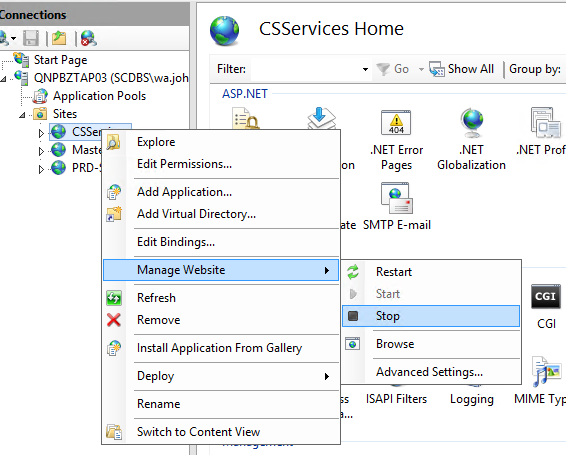
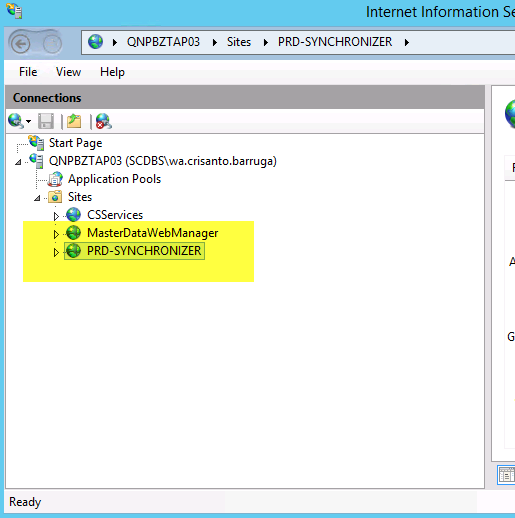
Stop the CSServices, MasterDataWebManager, PRD-SYNCHRONIZER and application pools on Biztalk servers 172.23.3.19 and 172.23.3.20.
-
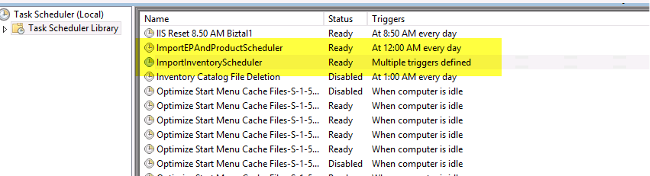
Stop also the schedule task
-
Open Commerce Server Manager Tool on servers
- CD1 172.23.3.15
- CD2 172.23.3.16
- CD3 172.23.3.31
- Biztalk 172.23.3.19
- Biztalk 172.23.3.20
CD4
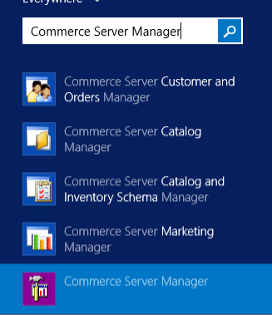
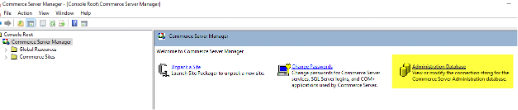
- Click Administration Database
IMPORTANT! Open the Commerce Server Manager before to update into new password in all server
-
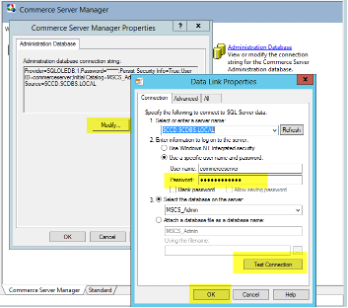
Click modify and update the password to the new password provided by DB team.
-
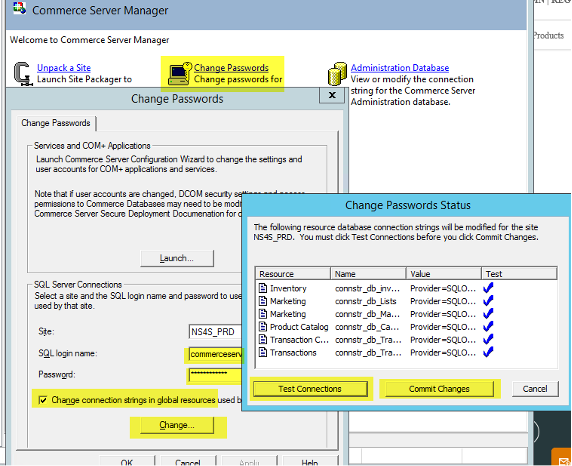
“Re-Open” the Commerce Server Manager after updating the Administration Database and Click the “Change Passwords”
-
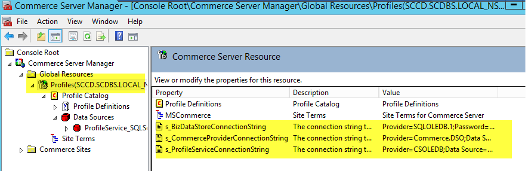
Go to Commerce Server Manager > Profiles. Update the password of the 3 connectionstring under Profiles Root.
-
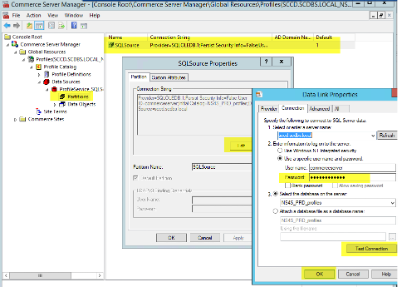
Go to Commerce Server Manager > Profiles > Profile Catalog > Data Sources > ProfileService > Partitions. Update the password on SQLSource.
-
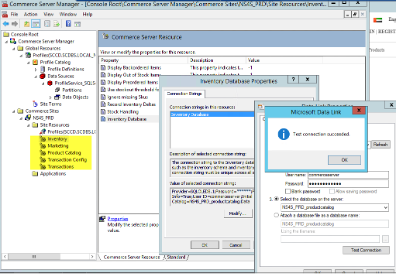
Go to > Commerce Sites > NS4S_PRD > Site Resources and validate all connection string
-
Update the Task Scheduler and Application Web Config.
Take Note: SCCD.SCDBS.LOCAL Server
CD1 172.23.3.15, CD2 172.23.3.16, CD3 172.23.3.31 and/or CD4 172.23.3.28
Path: E:\CD-PRD-NS4S\App_Config\WebConfigCustom\ConnectionStrings.config
Biztalk 172.23.3.19
Path: E:\MasterDataWebManager\Web.config
Path: E:\OrderService\Web.config
Path: E:\Scheduled Tasks\ImportEPAndProductScheduler
File: App.config and ImportProductCatalogScheduler.exe.config
Path: E:\Scheduled Tasks\ImportInventoryScheduler
File: App.config and ImportProductCatalogScheduler.exe.config
E:\PRD-SYNCHRONIZER\PRD-CD-STOCK-SYNCHRONIZER\web.config
<add name="InventoryDB" connectionString="Server=sccd.scdbs.local;Database=NS4S_PRD_Products;User Id=commerceserver
Biztalk 172.23.3.20
Path: E:\Scheduled Tasks\ImportEPAndProductScheduler
File: App.config and ImportProductCatalogScheduler.exe.config
Path: E:\Scheduled Tasks\ImportInventoryScheduler
File: App.config and ImportProductCatalogScheduler.exe.config
Sitecore account
CD1 172.23.3.15, CD2 172.23.3.16, CD3 172.23.3.31 and/or CD4 172.23.3.28
Path: E:\CD-PRD-NS4S\App_Config\WebConfigCustom\ConnectionStrings.config
Take Note: SCCD.SCDBS.LOCAL Server
CM1 172.23.3.14, CM2 172.23.3.6
Path: E:\CM-PRD-NS4S\App_Config\WebConfigCustom\ConnectionStrings.config
Open Commerce Server Manager. Go to Global Resources > Profiles and change password for CD server for the 3 connection strings
After Change password restart all IIS and application pool that was stopped. Also do deploy>recycle on application with config update
-
CD1 172.23.3.15
-
CD2 172.23.3.16
-
CD3 172.23.3.31
-
CD4 172.23.3.28 currently shutdown
-
Biztalk 172.23.3.19
-
Biztalk 172.23.3.20
Start also the schedule task from Biztalk
Restart Biztalk (172.23.3.19, 172.23.3.20) after reset of password to make sure import inventory catalog is working.